
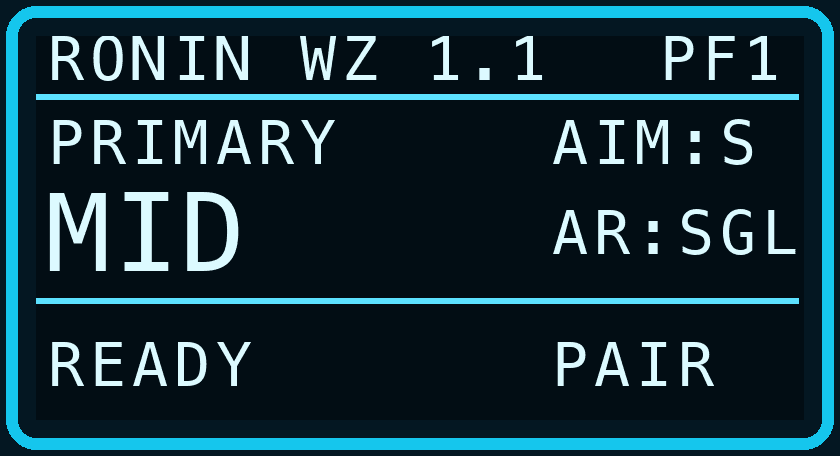
MID · READY
Your base recoil configuration.
CONTACT RONIN ZEN
Choose your script and tell us what you need. The Ronin Zen team will answer by email, whether you are deciding what to buy or need help with a script you already own.
Cronus Zen Script · v1.1
COMPATIBLE WITH
PS5 · XBOX · PCController support through Cronus Zen. PC mouse and keyboard use Zen Studio mapping.Prepare your loadout for the whole match. Four saved profiles, a PRIMARY / SECONDARY pair and independent CLOSE, MID and LONG recoil settings keep your configuration ready as engagements change.
BUILT FOR YOUR WARZONE LOADOUT
Your selected range stays saved with each profile.
Your base recoil configuration.
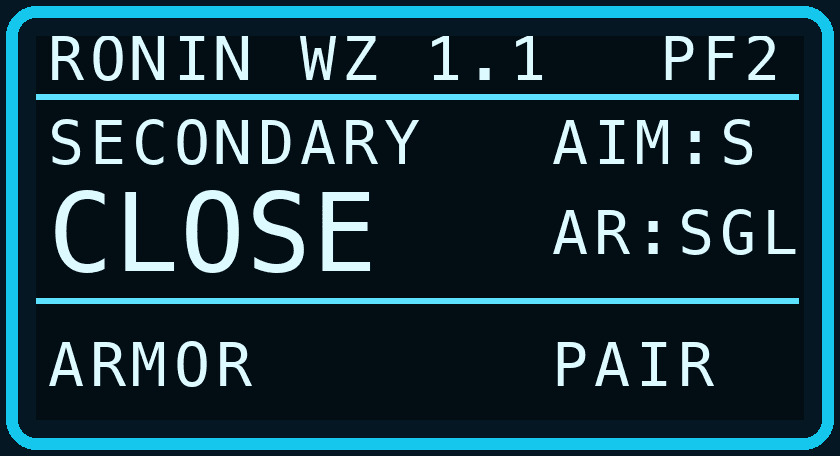
Timed armor output in progress.
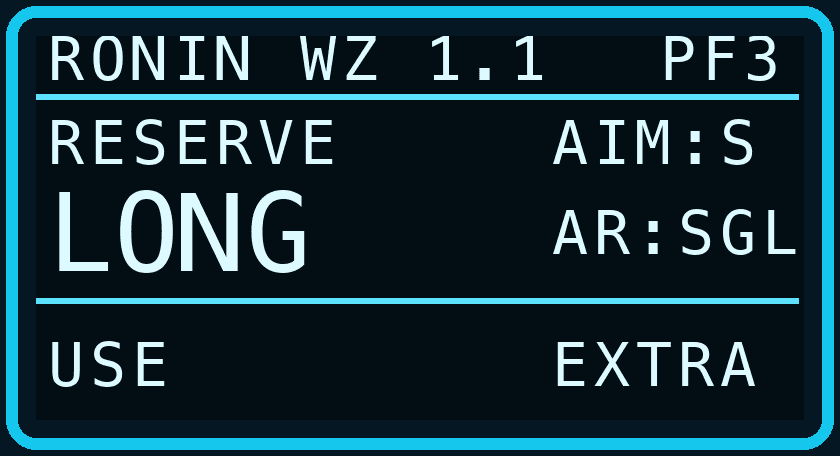
Manual interaction passthrough.
SETUP AT A GLANCE
| Platform | Cronus Zen with PS5, Xbox or PC. Match the script platform and bindings to your setup. |
|---|---|
| Profiles | 4 saved profiles; configurable PRIMARY / SECONDARY pair, initially PF1 / PF2. |
| Distance | Manual CLOSE / MID / LONG selection. SCALE or INDEP mode per profile. |
| OLED | 8 categories · 78 setting pages · 37 configurable functions. |
| Defaults | MID range, SCALE 100%, recoil at zero, Smart Aim and Fast Fire ON, armor and hipfire OFF. |
| Calibration | Set your in-game layout and sensitivity first, then calibrate aim and recoil for each profile. |
| Language | English script interface and illustrated English PDF guide. |
| Delivery | Personalized script and official manual through your protected customer library. |
Product system
Version 1.1
Assign any two of the four profiles to PRIMARY and SECONDARY. Swap the script profile with one shortcut; switch your in-game weapon separately.
Choose CLOSE, MID or LONG manually. Each profile remembers its selected distance and calibration, including when you swap the loadout pair.
Keep MID as your base recoil setup and scale CLOSE and LONG independently from 50% to 200%. Both start at 100%.
Store separate vertical and horizontal SINGLE and three-stage recoil values for CLOSE and LONG. MID continues to use the base profile values.
Enable armor assistance, release the shortcut, then let the script hold the assigned armor output for 500–10,000 ms. Default duration: 3,000 ms. OFF by default.
Cancel through the shortcut or manual ADS, Fire, Use, Jump, Crouch or armor-output input. Opening the menu, pausing or swapping the loadout pair also releases the output.
Manual Reload / Use input passes through while assistance is suspended during the hold and for 200 ms after release.
Pause assistance manually for maps, inventory or other game menus while retaining normal controller inputs. Resume with the same shortcut.
See the active profile, PRIMARY / SECONDARY role, distance, Aim and Anti-Recoil modes, READY / ARMOR / USE status and PAIR / EXTRA indicator.
Loadout, Distance, Recoil, Aim, Armor, Movement, Controls and Advanced organize all 78 setting pages.
PRODUCT OVERVIEW
Warzone 1.1 brings distance, loadout and armor controls into a dedicated eight-category OLED interface. Configure the script on your Cronus Zen and save your settings directly on the device.
Assign your preferred primary and secondary profiles, then switch between them with L1 + Cross / LB + A by default. Each profile restores its own selected distance and calibration. This shortcut changes the script profile only.
Use SCALE for percentage-based adjustments or INDEP for separate CLOSE and LONG recoil values. MID remains your base setup. Distances are selected manually: the script does not read target distance, recognize weapons or inspect the game.
Enable the timed armor hold and set its duration to match your game controls. The macro starts only after you release the shortcut. It cannot count plates or read remaining armor; cancelling releases the output but may not stop an animation already started by the game.
Includes the English GPC, the 45-page illustrated English manual and future updates to this edition. MW4 Multiplayer remains a separate product. Cronus Zen hardware is not included.
OFFICIAL ENGLISH GUIDE · 45 PAGES
INCLUDED WITH YOUR PURCHASE
Access your personalized GPC and this PDF from your protected library. The Cronus Zen device is sold separately.
Customer libraryCOMMON QUESTIONS
Yes. The selected CLOSE / MID / LONG range, distance mode, SCALE percentages and INDEP recoil values are saved per profile and recalled when that profile is selected.
No. Select the script profile and distance manually. The loadout shortcut switches the script profile only; it does not switch your in-game weapon.
No. Armor is a timed button hold with adjustable duration and manual cancellation. It does not read game state or count plates.
Warzone is a separate edition priced at 39 USD. An active MW4 Multiplayer licence qualifies for the 29 USD owner price when signed in. Future updates to each purchased edition are included.
Version 1.1 migrates valid WZ 1.0 saved data. The loadout pair starts with PF1 / PF2. If the new shortcut conflicts with an existing binding, the custom binding is preserved and Swap Loadout starts OFF.
Ronin Zen MW4 Warzone 1.1
Compatibility
Reassign actions, shortcuts and OLED navigation. Platform selection changes button labels; valid bindings are shared across platforms.
Save aim size, speed and curve, recoil, distance mode, selected range, distance calibration and LED colour for each profile. Global options and the loadout pair are also saved.
Copy the aim, recoil and distance configuration into another profile while preserving the destination profile’s LED colour.
Cycle CLOSE → MID → LONG using the assigned shortcut, with one, two or three rumble pulses to confirm your choice.
Switch profiles, select Smart or Full aim and change Shot Combo modes through controller shortcuts.
Adjustable strength and rotation speed, with Smart and Full modes to suit your controller preferences.
Choose Rotational, Linear, Smooth or Exponential behaviour independently for each profile.
Independently adjustable assistance size and speed when firing without aiming down sights.
Optional movement-stick micro-inputs with protection for deliberate manual movement.
Independent vertical and horizontal calibration with SINGLE and three-stage Start, Mid and End modes.
Gradually reduces compensation during stronger manual aiming corrections.
Applies a gradual reduction to vertical compensation during extended firing in SINGLE mode.
Aim and shoot using the Fire trigger alone, with stable ADS during Fast Fire and Rapid Fire pulses.
Configurable pulsed firing with adjustable cadence and a dedicated secondary-weapon mode.
Adjustable trigger activation thresholds for ADS and Fire, configurable from 0 to 99%.
Optional horizontal input on ADS activation, with Instant or Gradual modes and adjustable power and duration.
Select STANDARD, DROP SHOT or JUMP SHOT, with controller shortcuts for changing modes during play.
Protected sprint assistance with automatic recovery after supported movement and weapon-switch actions.
Automated slide-cancel sequencing with an option to preserve your movement direction.
Repeated jump inputs with adjustable pulse timing for Bunny Hop and Jump Shot.
Progressive amplification of manual lateral input with configurable strength.
Optional repeated weapon-switch inputs while holding the assigned control.
Automatically holds the Focus command while aiming for weapons that support breath control.
Measure and compensate for stick drift, with saved calibration offsets and an independent enable switch.
DEFAULT, TACTICAL and LEFTY button layouts, DEFAULT and LEGACY stick layouts, plus an optional Overclock setting.
Identify each active profile using its saved Green, Yellow, Blue, Purple or White LED colour.
Default double-tap Triangle/Y or optional D-pad Left. Requires Dedicated Melee Weapon Activation set to Press Melee in the game.
Choose PS5, XBOX or PC manually under 7 Controls > Platform. Custom assignments are shared and preserved when you change platform.
Choose Function, edit Assign Key and press Menu Confirm. SAVED applies the mapping; KEY CONFLICT preserves the previous valid controls.
Choose PC > PC Input > M&K VIA ZEN and map physical keys in Zen Studio. The script receives translated controller input.
Recover OLED navigation with the fixed Create + Options / View + Menu hold, or confirm Reset Keys twice to restore all assignments.